Multi-User Logging
Cache as a couple, family or team and log everyone’s find in one pass — each account with its own message, favorites and trackables. Added in Cachly 8.2 for Pro subscribers.
Setting Up Users
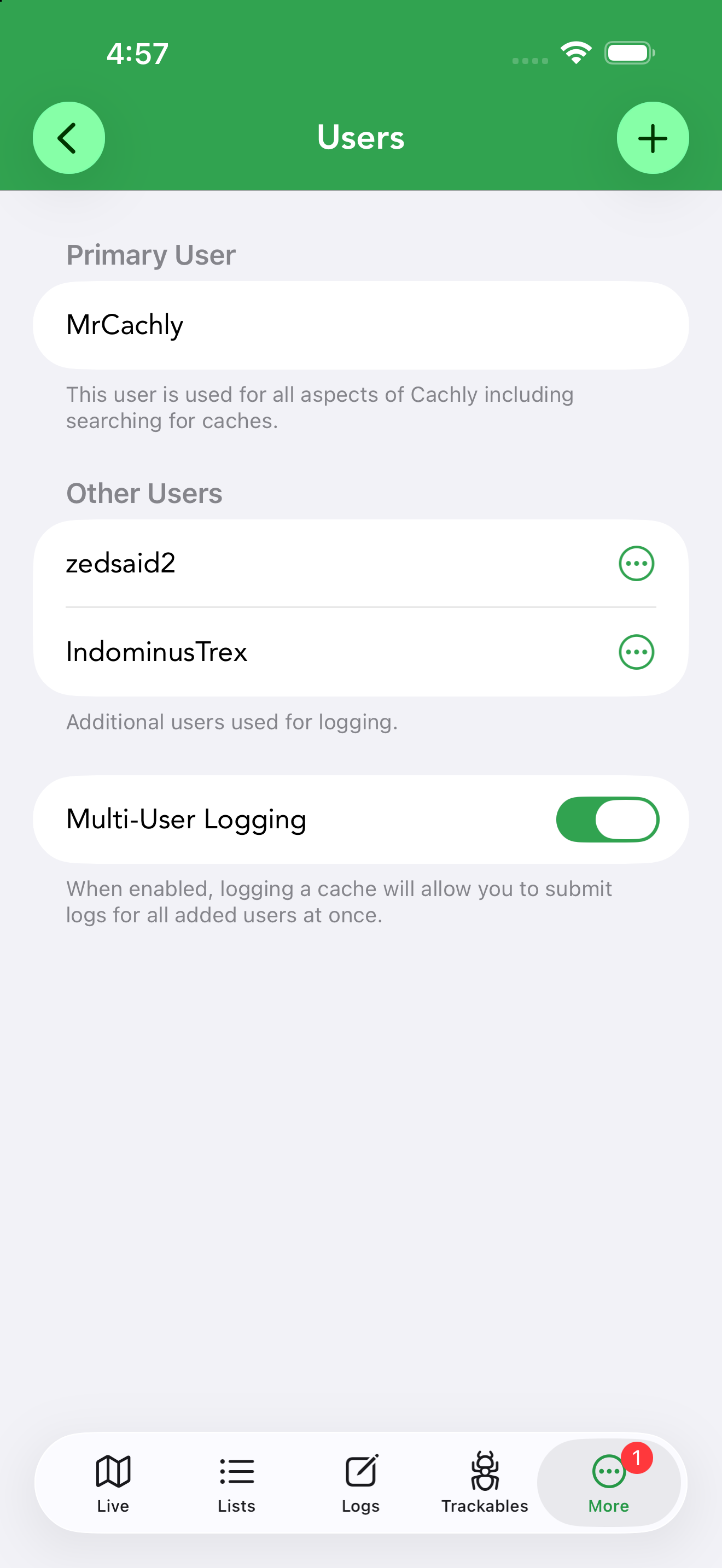
Accounts are managed in Settings › Users:
- Primary User — the account used for all of Cachly, including searching for caches.
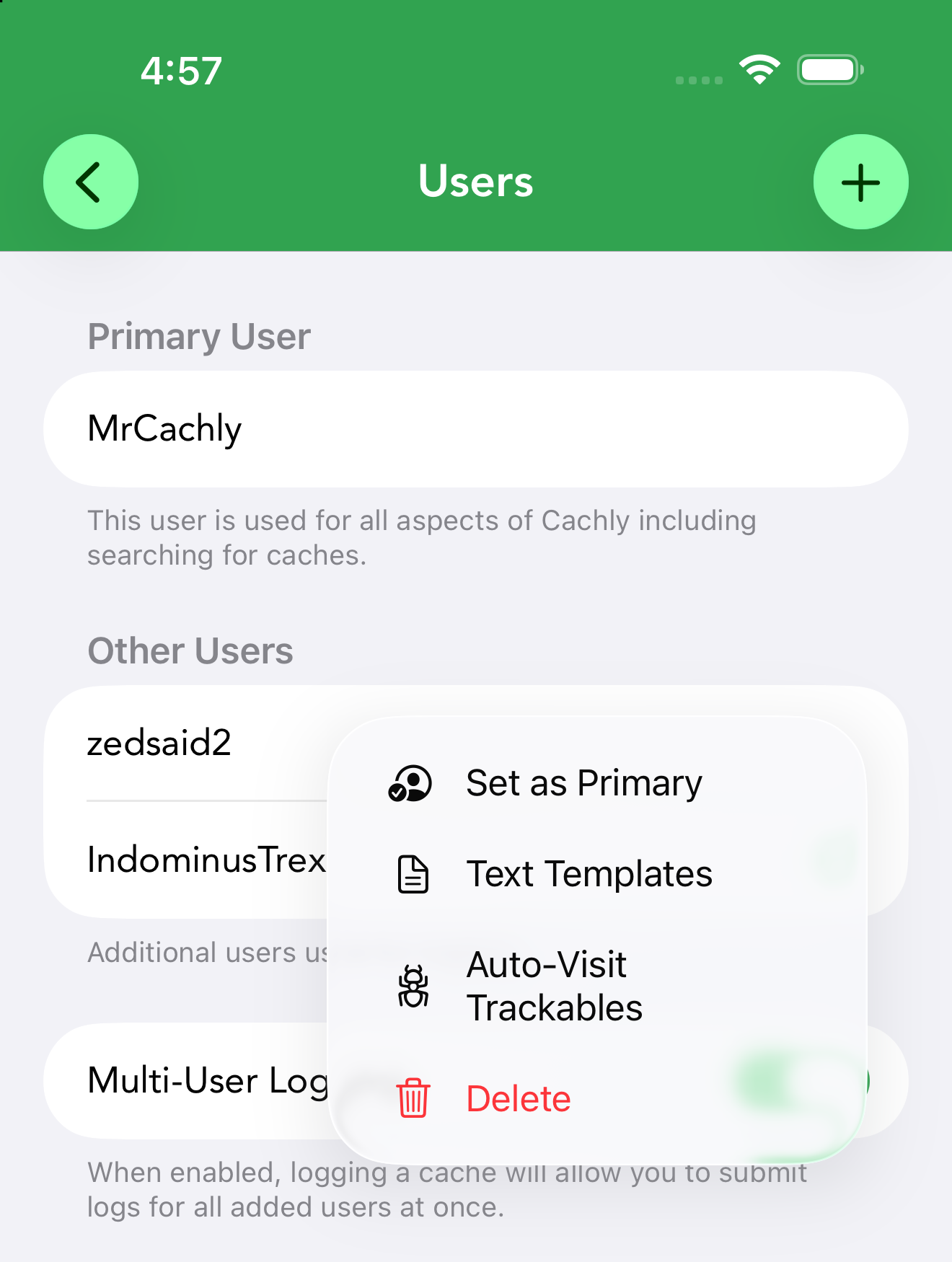
- Other Users — additional accounts used for logging. Tap + to add one; each signs in through geocaching.com’s own authorization page, so Cachly never sees their password. Each user’s … menu offers Set as Primary, their own Text Templates, Auto-Visit Trackables, and Delete.
- Multi-User Logging toggle — when enabled, logging a cache lets you submit logs for all added users at once.
Switching Accounts with Set as Primary
Both accounts stay signed in, so switching back is the same one tap on the old primary’s menu — no need to authorize again. Cachly refreshes the profile, premium status and avatar for the new primary as soon as you switch.
Text Templates for Each User
When you log with several users, each account’s own templates are inserted into its message section automatically, based on the log type — so a family can each keep their own sign-off.
How It Works
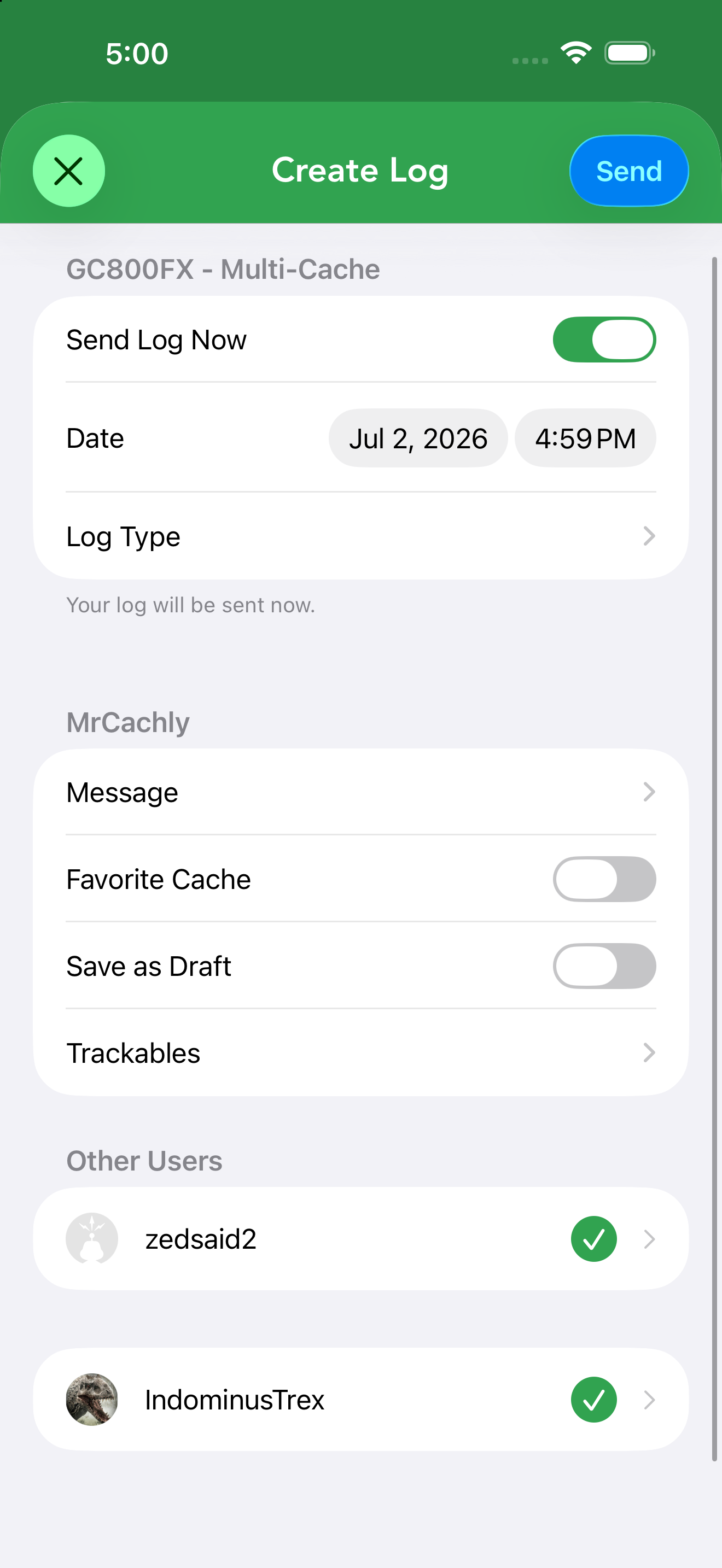
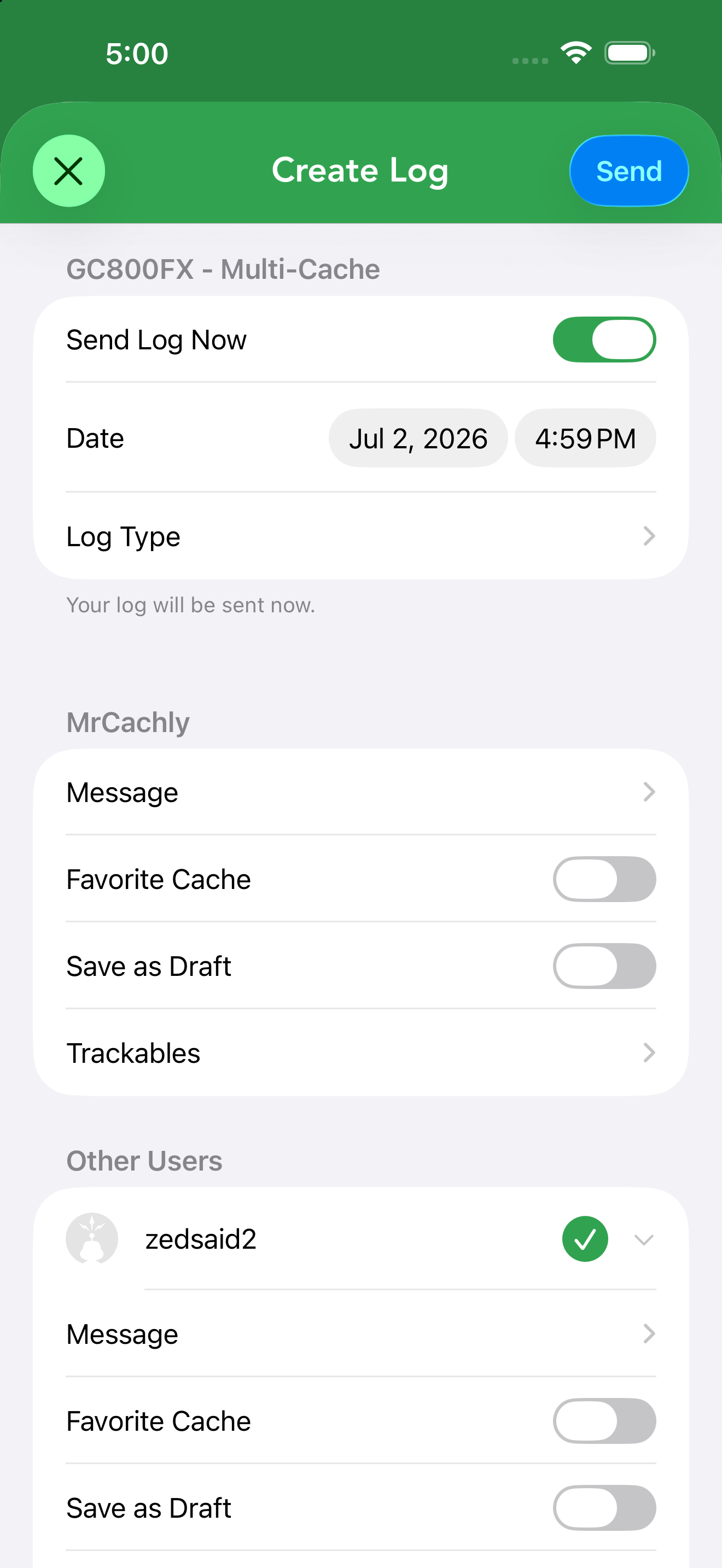
Cachly can log a single cache under multiple geocaching.com accounts at the same time — ideal for couples, families or groups who find together. With users added, the log screen gains an Other Users section where every account appears with its own controls:
- Choose who’s logging — each additional account has a checkmark beside its name; tap to include or exclude that person from this log. Your own account is always logged. Tap an account’s row to expand its options.
- Per-account details — every selected account gets its own message, Favorite Cache toggle, Save as Draft toggle and trackables, set independently. Each account’s own text templates are filled in automatically.
- Shared settings — the date, log type and (when updating) the coordinates apply to everyone at once.
Favorite points are a premium-member feature, so the toggle only appears for accounts that are geocaching.com Premium (and it’s hidden entirely on event caches, where it doesn’t apply). When you tap Send, Cachly submits a separate, real log for each selected account.