
Cachly Intelligence
Cachly Intelligence helps you write better logs faster and can summarize a cache’s logs and description into a quick read — in any language — using on-device or cloud AI. You stay in control: it drafts, you edit and post.
What It Does
When you’re logging a find, Cachly Intelligence can draft a log for you — turning a few notes (or just the cache’s context) into a friendly, well-written log you then tweak and submit.
Setting It Up
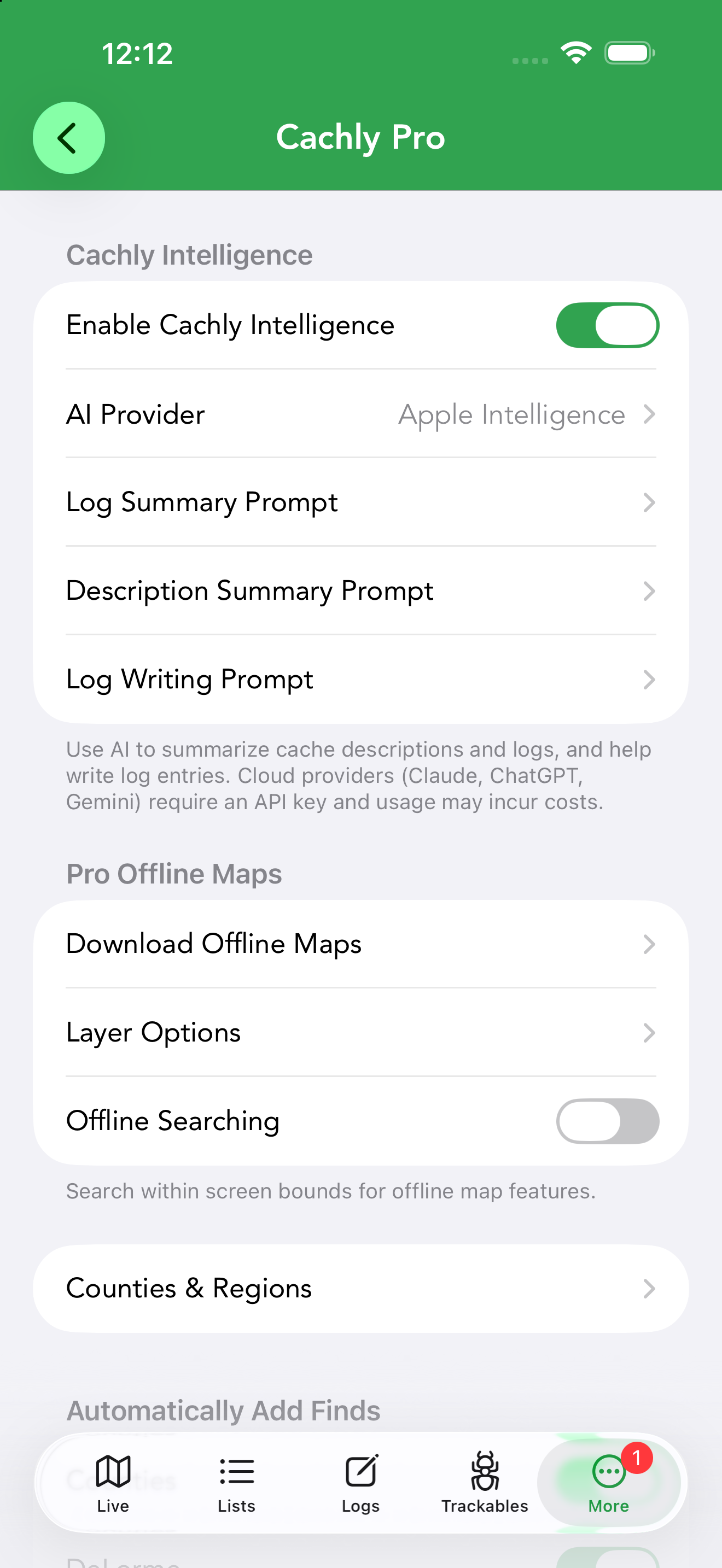
Cachly Intelligence is on by default, and everything lives at the top of Settings › Cachly Pro, in the Cachly Intelligence section:
- Enable Cachly Intelligence is already switched on — turn it off here if you’d rather not see the AI features.
- Tap AI Provider and choose who does the thinking. Apple Intelligence works immediately, entirely on-device. For Claude, ChatGPT, Gemini or Mistral, tap the provider to add your own API key first — until then the row shows API key not set.
- Log Language sets the language Cachly Intelligence writes log text in. It follows your device language until you change it, and it’s the same choice the globe button makes when writing a log. A Reset to Device Language button at the bottom of the screen clears your choice (falling back to English if your device language isn’t supported).
- Optionally open the three prompt rows below (Log Summary, Description Summary, Log Writing) and tailor them to your taste — each is fully editable.
While enabled, a sparkle button appears in the places Cachly Intelligence can help: a cache’s description, its logs list, and the log message editor.
AI Summaries
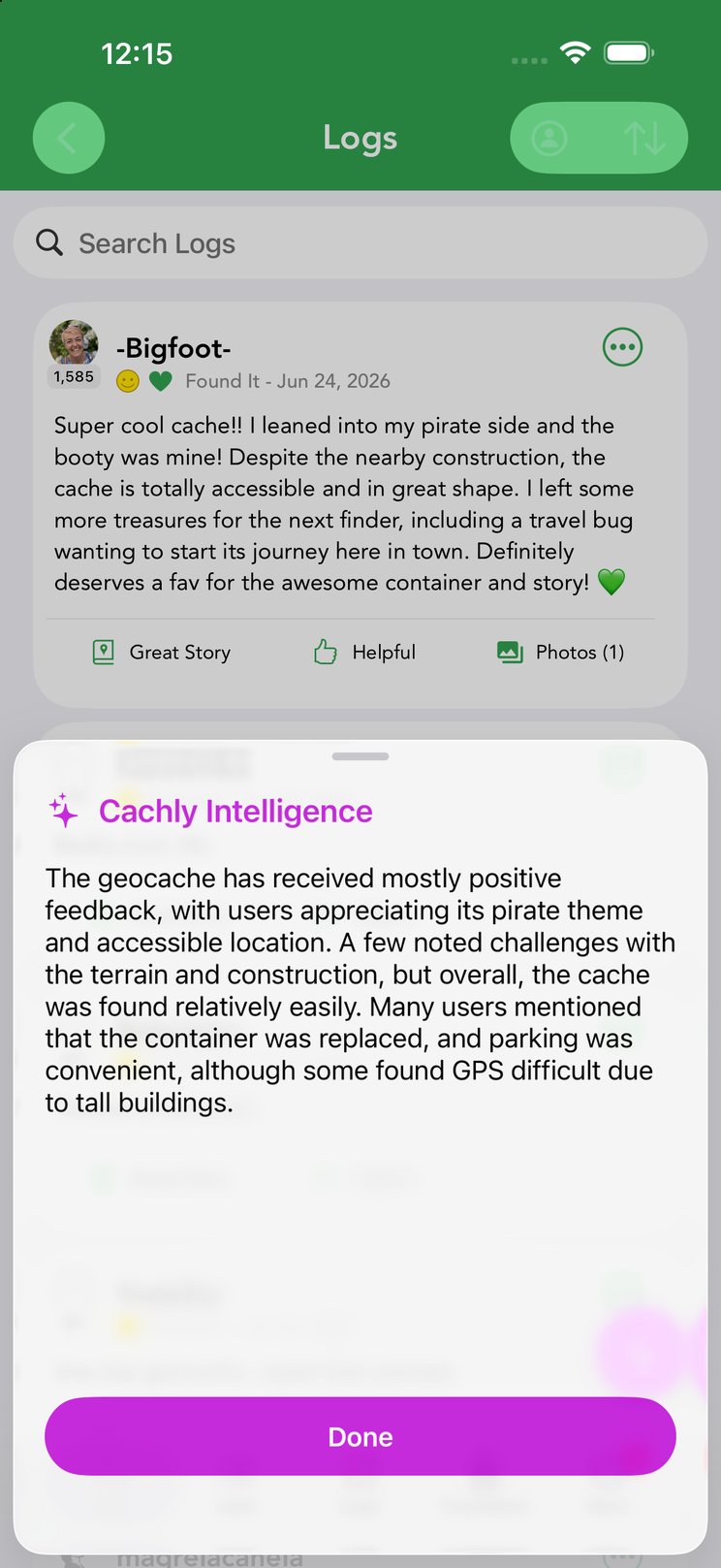
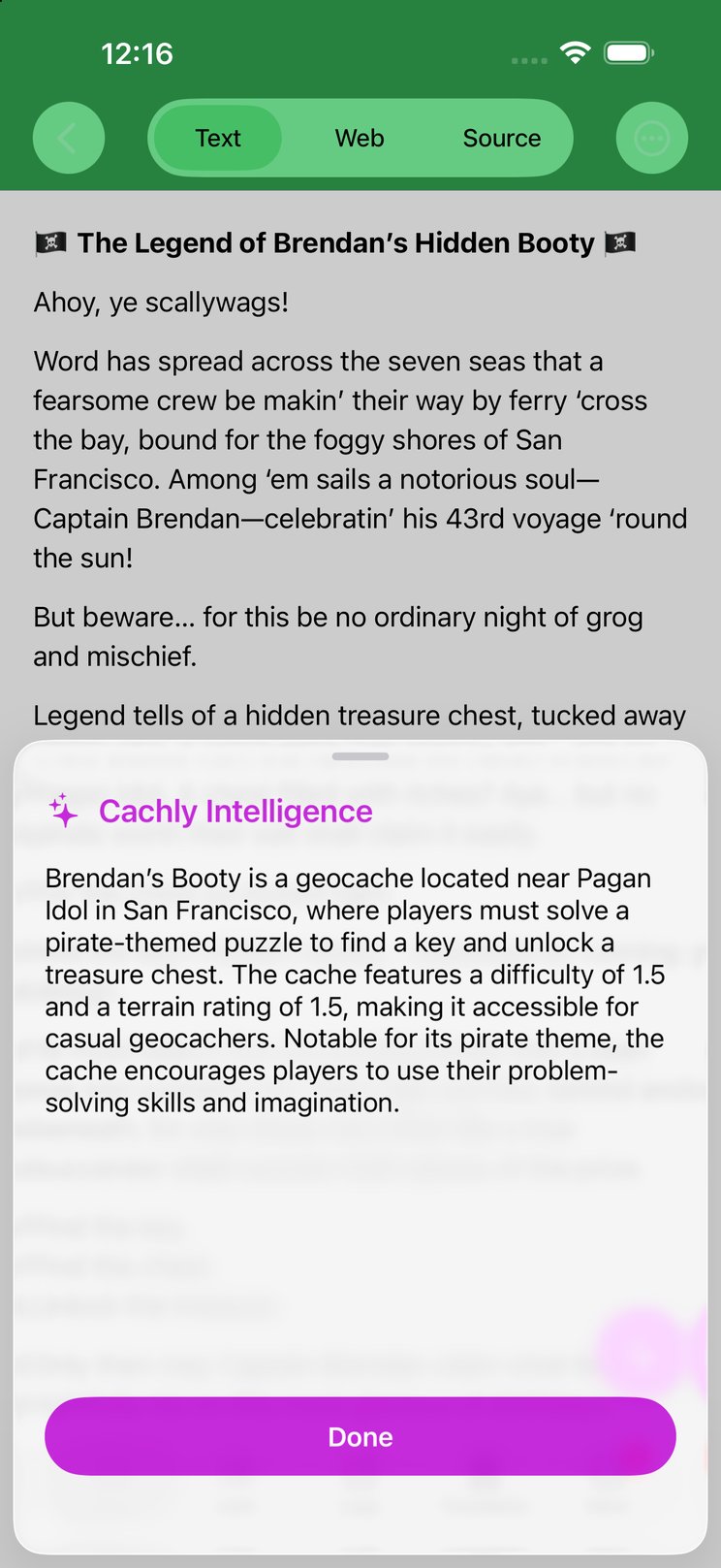
Beyond drafting logs, Cachly Intelligence can summarize for you. On a cache’s Logs screen and on its description, tap the sparkle button (bottom right): a Cachly Intelligence sheet slides up with a concise summary — how the cache has been doing, common tips from finders, or the gist of a long pirate-themed backstory — without reading a wall of text.
In CarPlay, Cachly Intelligence goes hands-free: it can summarize a cache’s logs and description by voice, reading the summary aloud so you get the gist while driving.
How Much the AI Reads
Summaries work from a deliberate slice of the cache, not everything ever written about it:
- Log summaries read the logs already loaded on the cache’s Logs screen, newest first, up to 20 logs. Empty and low-effort logs (a bare “TFTC”) are skipped so they don’t use up the AI’s reading budget, and each log goes in with its date, log type, and the author’s name and find count — that’s how the summary can weigh a 10,000-find veteran’s DNF differently from a newcomer’s.
- Description summaries read the listing text with the formatting stripped, up to the first 5,000 characters.
How much of each log fits depends on where the AI runs. On-device Apple Intelligence has a small context window (roughly 4,000 tokens, shared between what it reads and what it writes), so Cachly keeps each log to its first 600 characters and about 8,000 characters of log text in total. Cloud providers (Claude, ChatGPT, Gemini, Mistral) have far larger context windows and get a much bigger budget:
| Apple Intelligence (on-device) | Cloud providers | |
|---|---|---|
| Logs considered | Up to 20, newest first | Up to 20, newest first |
| Each log | First 600 characters | First 2,000 characters |
| Total log text | ≈8,000 characters | ≈60,000 characters |
| Description | First 5,000 characters | First 5,000 characters |
If the budget fills before 20 logs are in, Cachly stops there — newer logs always win. The same limits apply to voice summaries in CarPlay. Replies themselves are kept short by design: summaries aim for about three sentences.
Choosing a Model
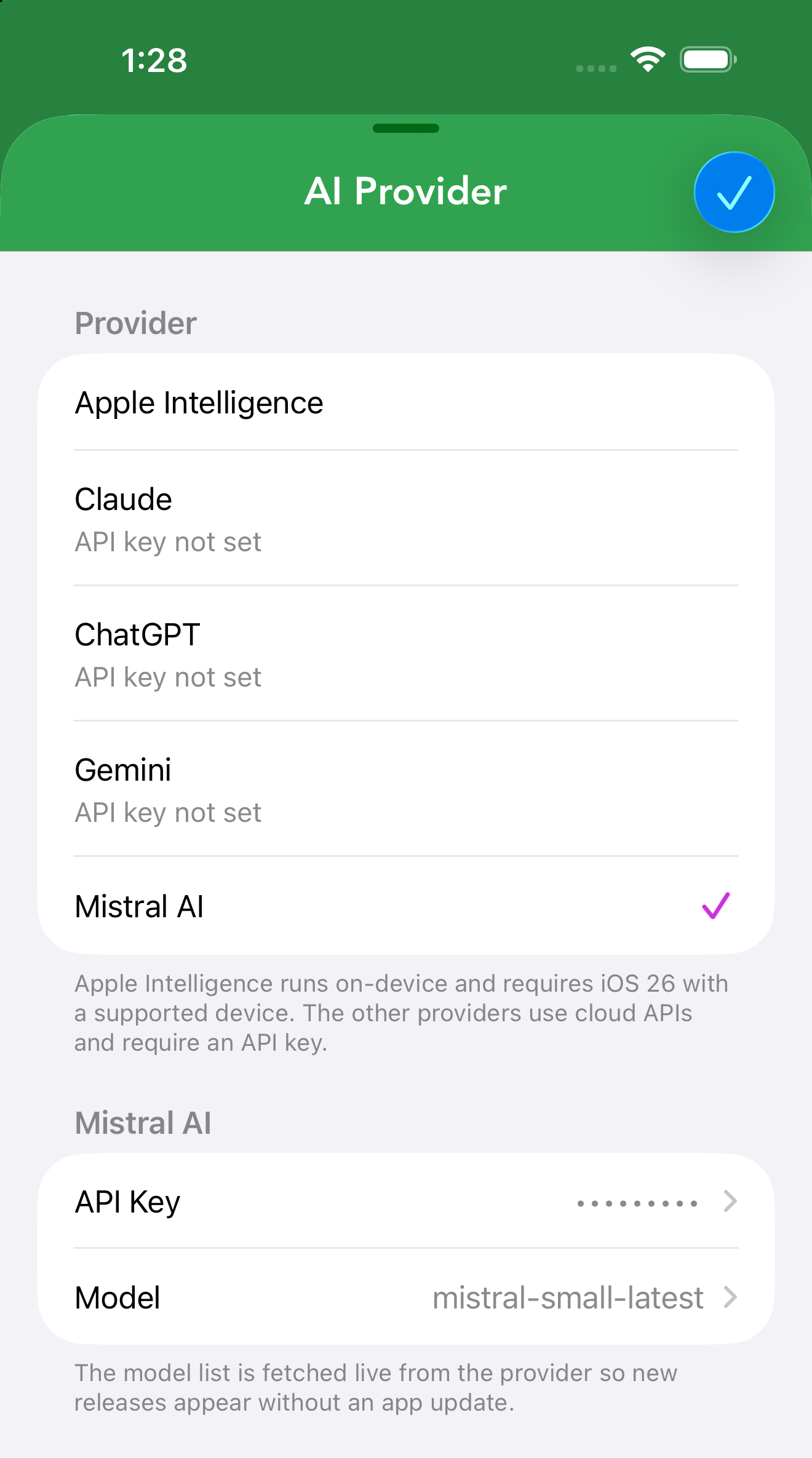
Cachly supports multiple AI providers, selectable under Settings › Cachly Pro › AI Provider:
| Provider | Notes | API key from |
|---|---|---|
| Apple Intelligence | On-device AI — private and offline-capable. Requires iOS 26 and an iPhone 15 Pro or newer. | No key needed |
| Claude (Anthropic) | Cloud model via the Claude API. | console.anthropic.com |
| ChatGPT (OpenAI) | Cloud model via the OpenAI API. | platform.openai.com |
| Google Gemini | Cloud model via Google. | aistudio.google.com |
| Mistral | Cloud model via the Mistral API. | console.mistral.ai |
Choosing a cloud provider adds a second section below the list, headed with that provider’s name and holding two rows: API Key, where you paste the key from the console above, and Model. The model list is fetched live from the provider, so new releases appear without waiting for a Cachly update — leave it on Default and Cachly uses a sensible current model for you.
Writing Prompts & the Prompt Editor
Every Cachly Intelligence feature is driven by a prompt you can see and change. Settings › Cachly Pro has three, and all three are fully user-editable:
- Log Summary Prompt — shapes how a cache’s logs are summarized; the logs are appended to the end of your prompt.
- Description Summary Prompt — shapes description summaries the same way.
- Log Writing Prompt — shapes generated logs; the cache’s info and your notes are appended to it.
Edit them to match your voice — always mention the trail, keep it short, write in your language — and the AI’s output follows.
Writing a Log with AI
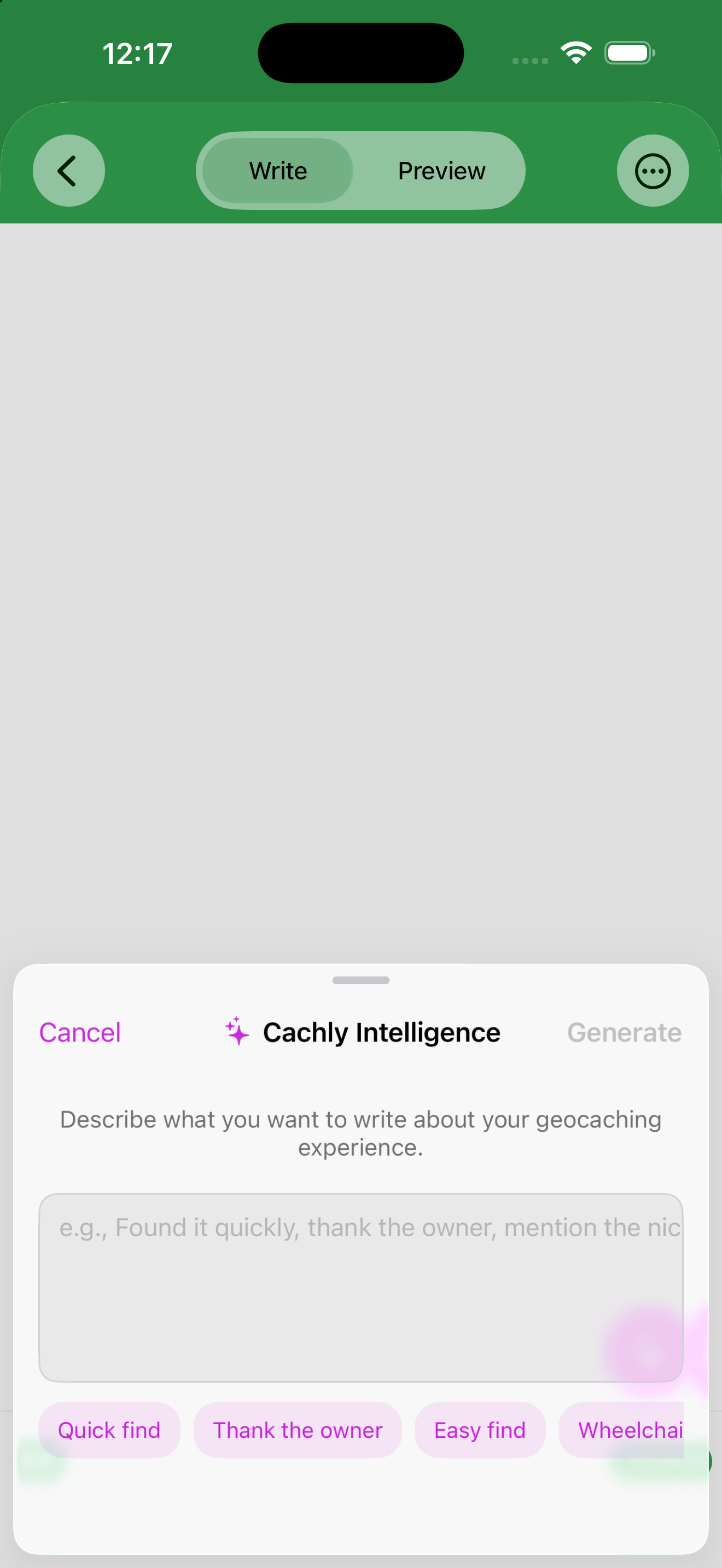
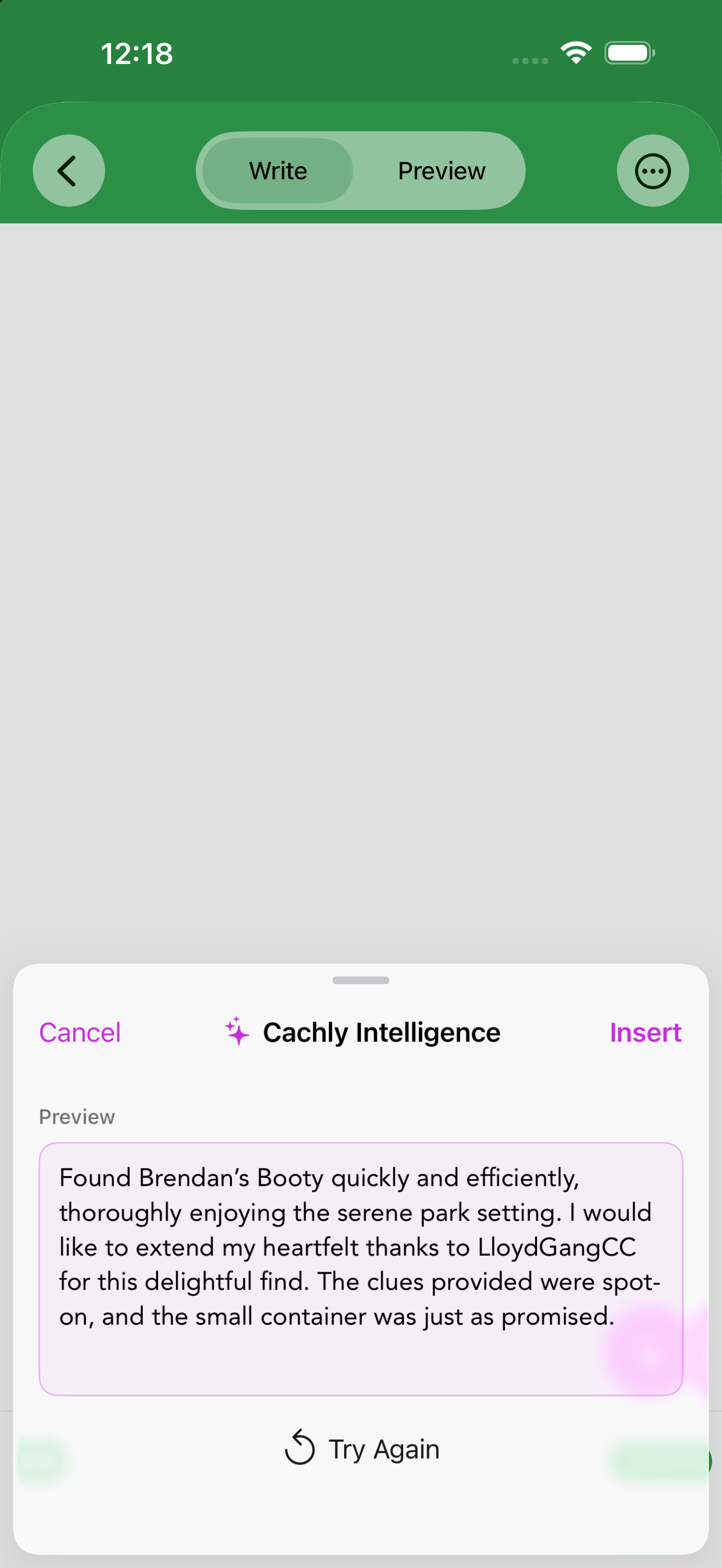
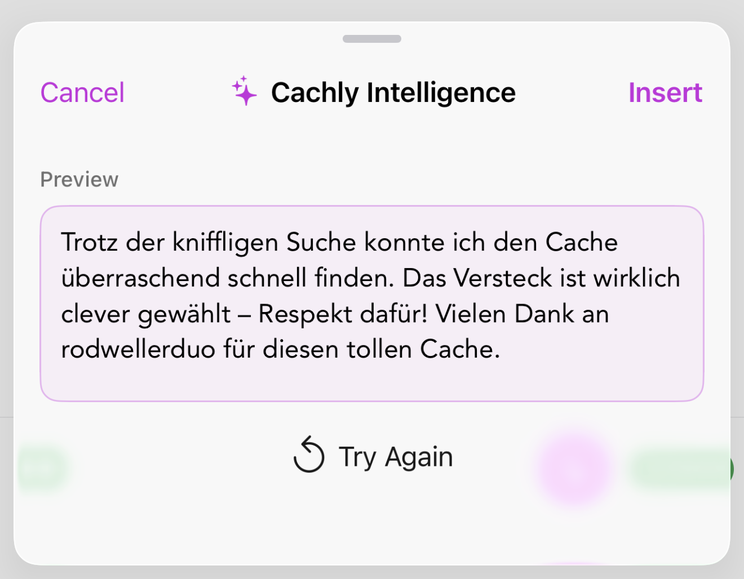
In the log message editor, tap the sparkle button and describe what you want to say (“Found it quickly, thank the owner, mention the nice park setting”). The suggestion tags below the field add common phrases with a tap, and the globe button beside them picks the language the log is written in, with the current language code shown beneath it. It starts on your device language, and your choice is remembered for the next log, so a German speaker caching in the UK can switch to English once and every log on the trip follows. The same choice lives in Settings › Cachly Pro › Log Language, where Reset to Device Language puts it back. Tap Generate and a Preview of the drafted log appears — Insert it into your log, or Try Again for a different draft. Nothing is added until you choose Insert.
Privacy & Control
Generated text is always a draft: nothing is posted until you review and submit it. You decide which provider to use, and you can edit or discard any suggestion.