What can Cachly do on CarPlay?
Cachly on CarPlay is a full geocaching app, not a companion widget: it shows an interactive map of nearby geocaches on your dashboard, loads new caches automatically as you drive, and lets you browse cache lists, view details, and start navigation right from the car screen.
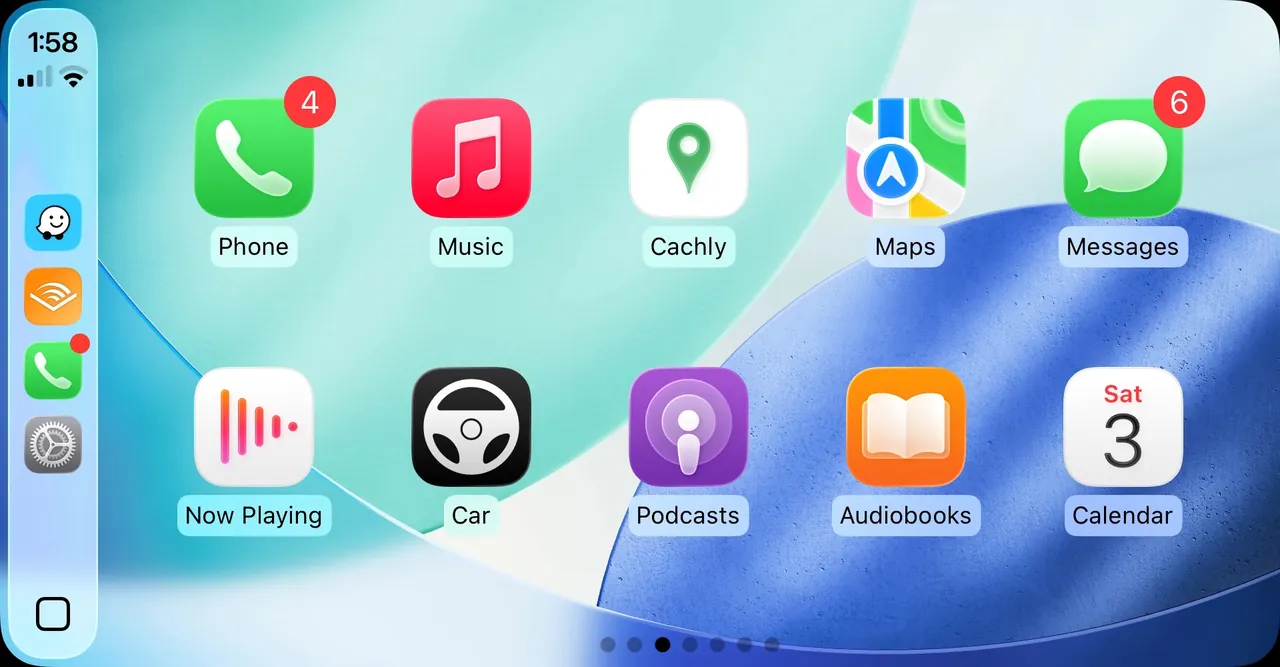
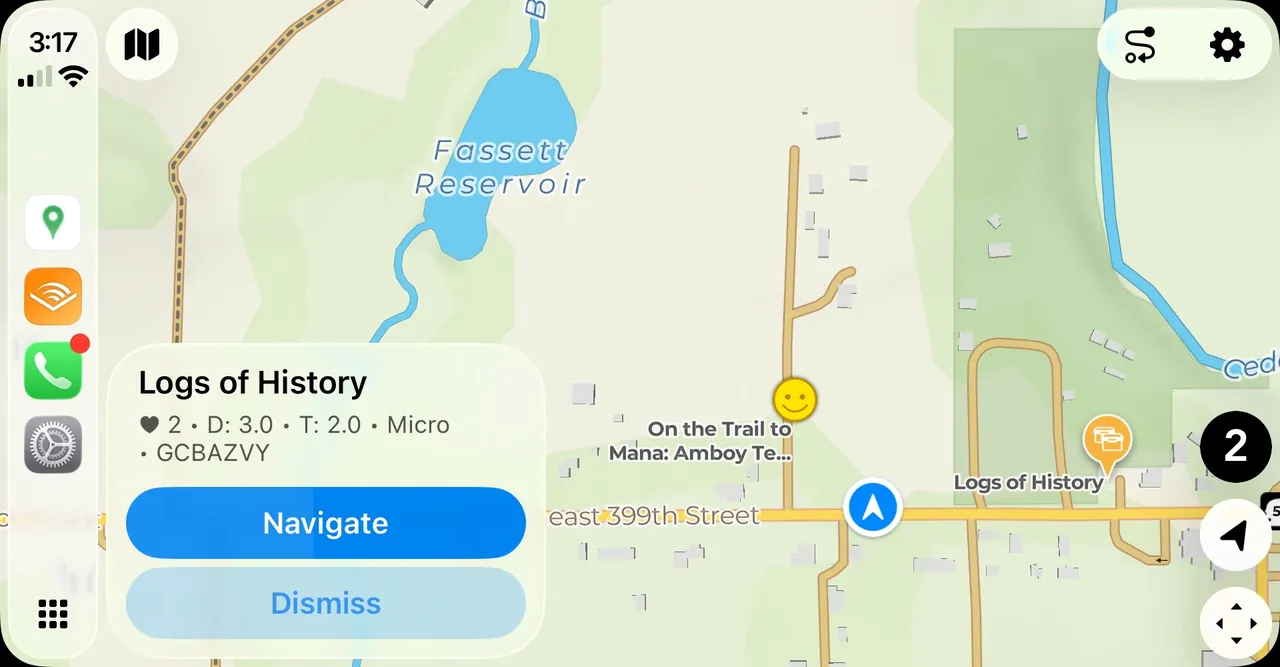
- A real, interactive map — pan and zoom with on-screen controls, and on newer CarPlay systems running iOS 26, pinch to zoom and rotate the map directly. Cache pins show each cache's type, and cache names appear as labels when you zoom in.
- Cache lists — tap the cache count button to see every cache on the map as a list, with distance, difficulty/terrain rating, container size, GC code, and favorite points.
- Cache details — see D/T ratings, size, favorite points, the owner, placement date, and even the hint.
- Navigation — Cachly's Pro Offline Maps show the direction and distance to any cache right on the dashboard, or hand off to Apple Maps, Google Maps, Waze, or TomTom Go for full turn-by-turn directions. You can even build a multi-stop route through several caches. (Turn-by-turn directions on the offline maps themselves aren't available yet — they're coming in a future version.)
- Proximity alerts — Cachly can alert you when you drive within 300 meters of a geocache, so you never cruise past a cache without knowing it.
One honest note: Apple's CarPlay rules don't allow tapping cache pins directly on the map, so you select caches through the cache list instead — a one-tap detour that applies to every CarPlay app.
Can you log geocaches by voice?
Yes — Cachly's CarPlay voice logging lets you compose and submit a complete geocache log hands-free: tap Log Cache, speak your log message, and Cachly converts your speech to text, reads it back for review, and sends it to geocaching.com.
- Six log types — Found It, DNF (Did Not Find), Write Note, Attended, Will Attend, and Webcam Photo Taken.
- Log templates — CarPlay uses the log templates you've set up in the Cachly iOS app, and can combine your spoken message with a template for consistent, detailed logs. Prefer speed? Skip Voice Input logs with your template alone.
- Private by design — speech recognition happens entirely on your iPhone; your voice is not sent to servers.
- Works offline — no signal at the trailhead? Your log is saved to Pending Logs, ready for you to review and submit once you have a connection.
Map styles that match your drive
Cachly's CarPlay map comes in Light and Dark styles, plus an Automatic mode that switches between them — and changing the map style switches the entire CarPlay interface between light and dark appearance to match. You can also choose North Up or Follow Course orientation, show a compass, and display a live speed and altitude readout.
Does Cachly's CarPlay work offline?
Yes — Cachly on CarPlay works offline: your downloaded Pro Offline Vector Maps render right on the dashboard, and Trips (offline cache lists you build in the iOS app) put saved caches on the map without any connection. The offline map shows each cache with the direction and distance to it, so you can find your way with no signal.
Note: Cachly's offline maps don't provide turn-by-turn directions yet — that's coming in a future version. For turn-by-turn today, hand off to Apple Maps, Google Maps, Waze, or TomTom Go, which need a data connection.
That makes Cachly's CarPlay ideal for exactly the places geocaching takes you: remote forest roads, national parks, and dead zones where a data connection is a rumor. Load a Trip before you leave, and the map, your caches, and even logging (saved to Pending Logs) all keep working with zero bars.
Do I need Cachly Pro for CarPlay?
Yes — CarPlay support is a Cachly Pro feature, and requires an active Pro subscription: $1.99/month or $14.99/year (US), with a 7-day free trial on all plans. Cachly itself is a $4.99 one-time purchase, and the core app is complete without Pro — the subscription adds CarPlay, whole-globe offline vector maps, live cache loading, and more. Questions about how the pricing works? See the FAQ.
Try CarPlay free for 7 days
Download Cachly, start your free Cachly Pro trial, and put geocaching on your dashboard today.
 Cachly is $4.99 on the App Store · Pro is $1.99/month or $14.99/year